Skip to the editions

RehearsalXR · An XRTech product

Practice the conversations you cannot rehearse for real.

Conversation training in a 360° room, in a browser, with no install. It comes in two editions, built on two different pipelines, for two different training needs.

Two editions

Pick by what the training has to prove.

Both put the trainee in a room with someone who is upset, guarded, or hard to read. They differ in where that person comes from: a filmed actor, or a live character.

RehearsalXR 1.0

Filmed actors

Every trainee sees the same real performance.

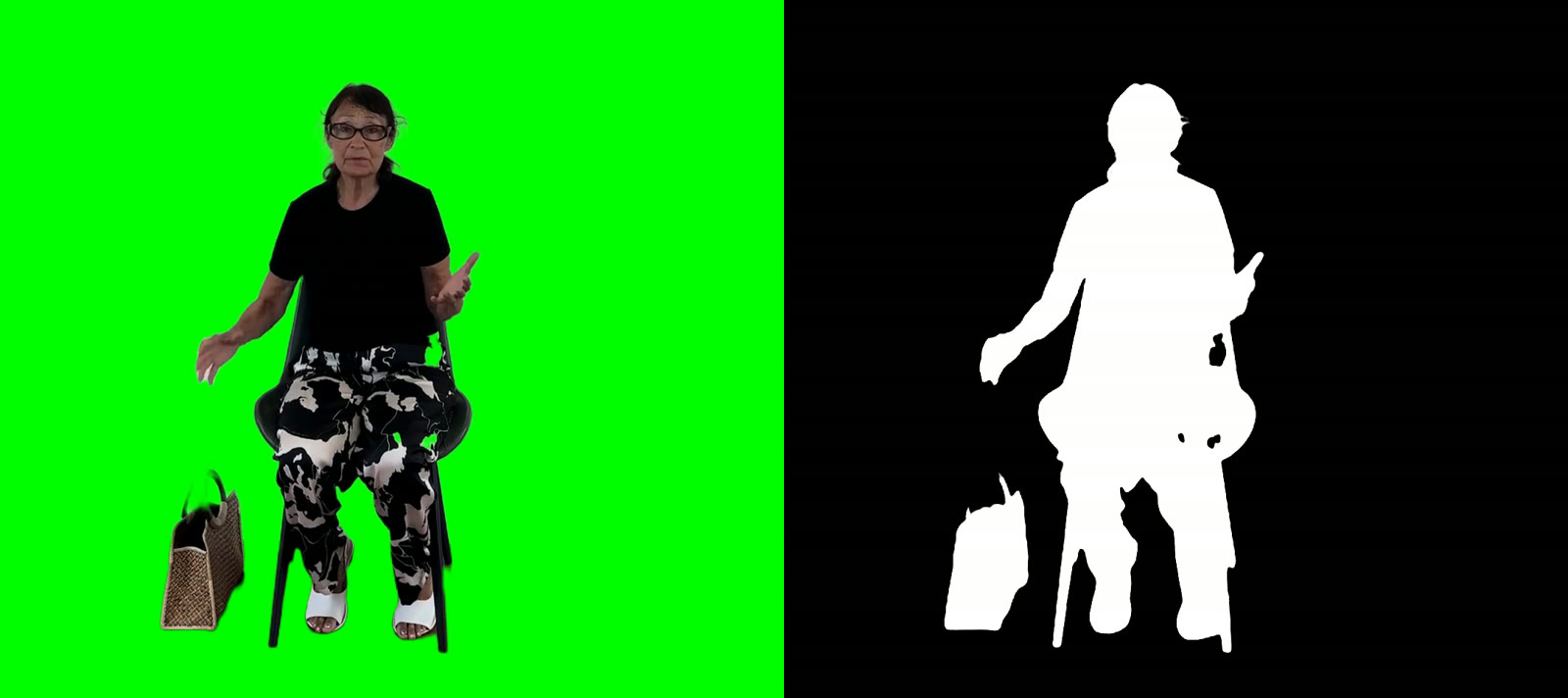
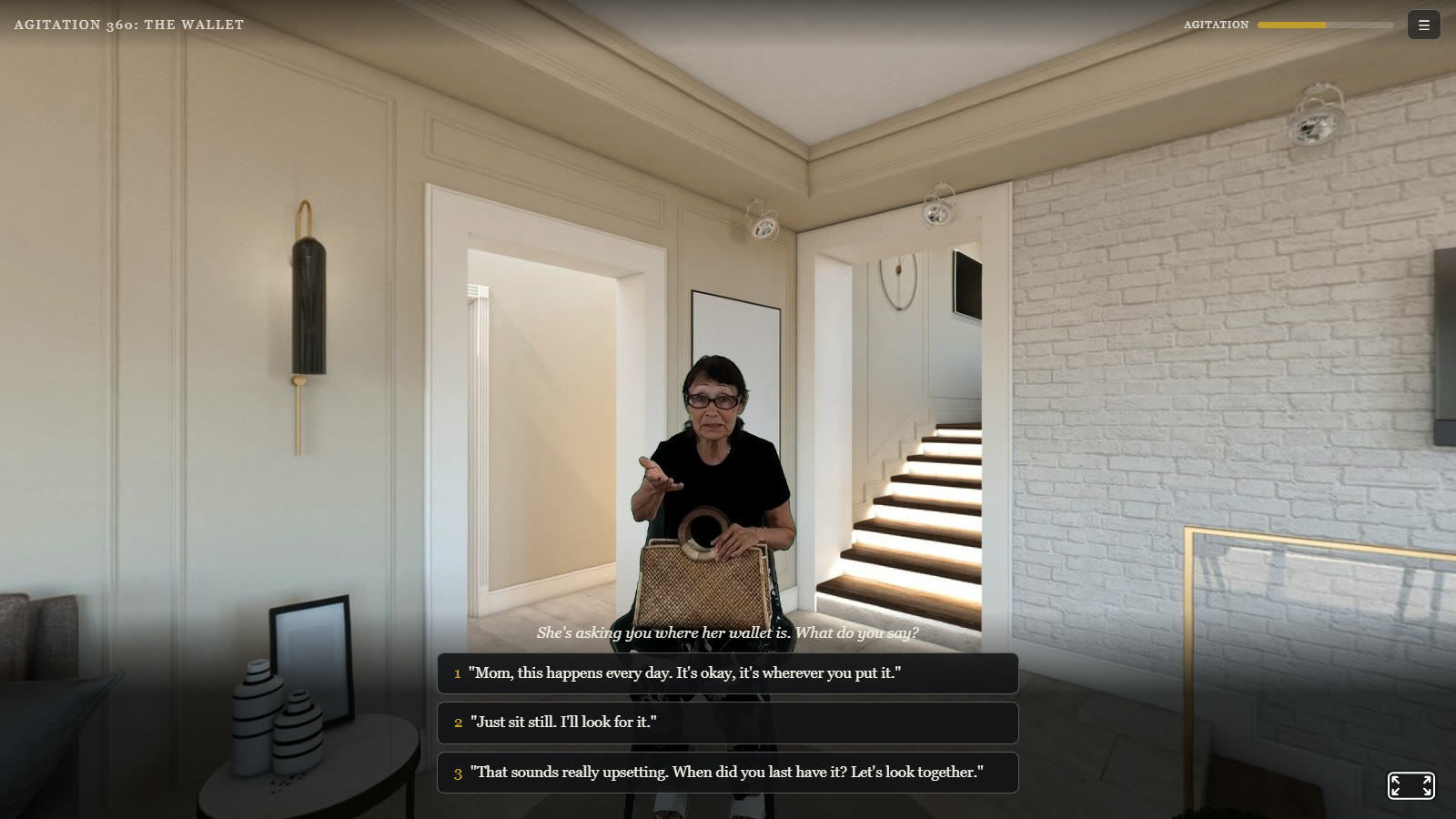
Real actors are filmed on green screen and placed in a 360° room as video. At each decision point the trainee picks what to say, and the scene branches. Every line is written and approved before the shoot, so the content can be reviewed in full and every trainee is measured against the same scenario.

Choose it when

  • The scenario has to be identical for every trainee, for assessment or research.
  • Real faces and real emotion matter more than open-ended dialogue.
  • Every line needs sign-off before a trainee sees it.
  • It has to run on a locked-down network: static files, no server, no AI service.
  • Trainees may be on a VR headset, a laptop, or a phone.
Try the filmed demo demo.xrtech.dev

Scenario: The Wallet. About 4 minutes, 3 decisions, 9 paths.
RehearsalXR 2.0

Live AI characters

A character that answers whatever the trainee says.

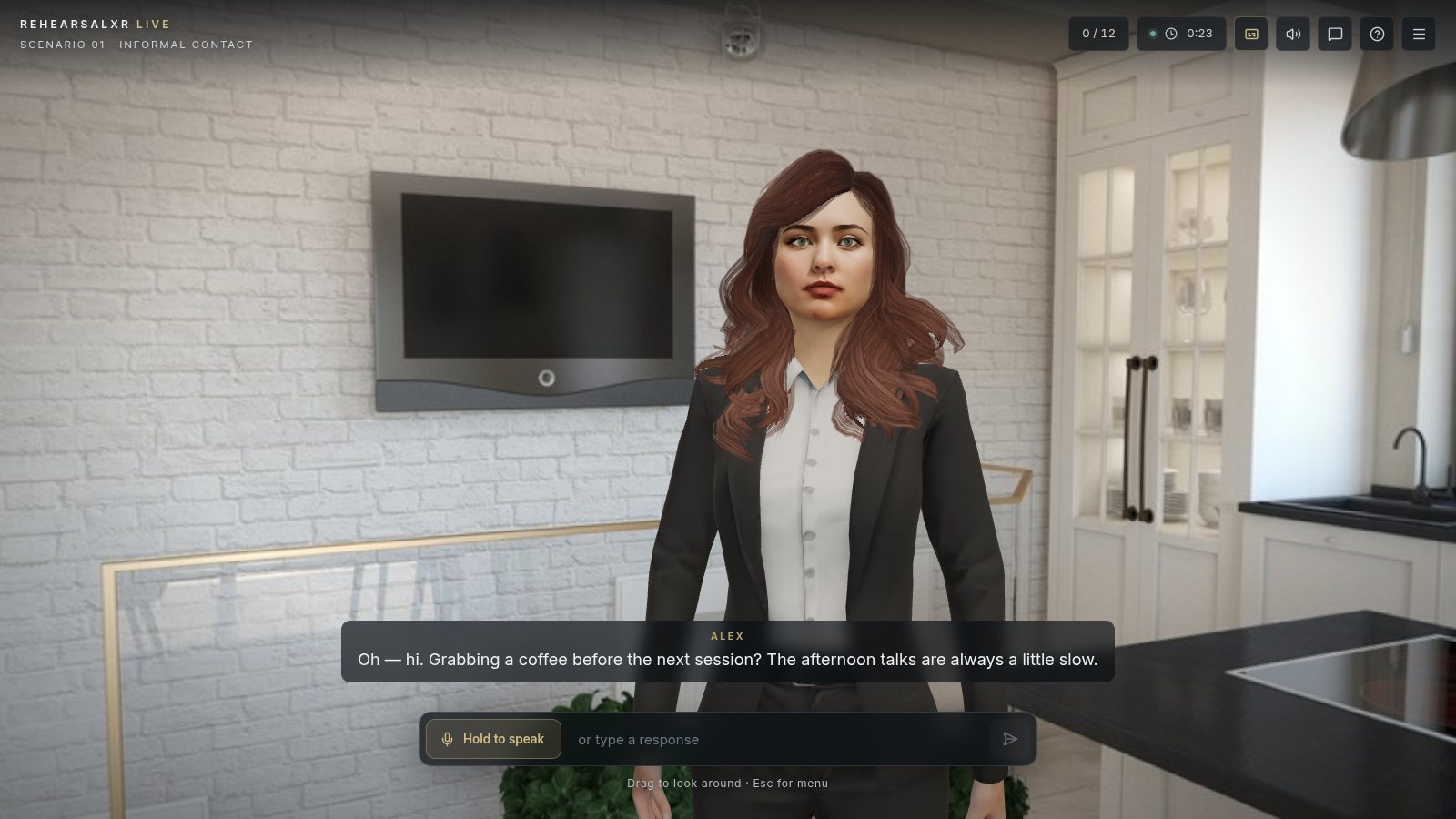
A 3D character with a voice, lip sync, and body language answers the trainee by voice or by text. The scenario, not the model, decides what the character knows and when it will share it. An instructor can steer the scene live, and each session ends with a scored performance report.

Choose it when

  • Trainees need repeated practice, and a branch tree would get memorized.
  • The skill is open-ended: building rapport, asking good questions, calming someone down.
  • An instructor wants to run the session live and step in.
  • New scenarios are needed without a film shoot.
  • Each session needs a written report with evidence.
Try RehearsalXR Live rehearsalxr.xrtech.dev

Six scenarios and characters. Chrome or Edge, no install.

Side by side

How the two editions differ.

The character
1.0 FilmedA real actor, filmed and shown as video in the room
2.0 LiveA 3D character with a neural voice, lip sync, gaze, and gestures
The dialogue
1.0 FilmedWritten in advance, branching at each decision
2.0 LiveGenerated live within the scenario’s rules. Facts unlock as rapport and suspicion change
What the trainee does
1.0 FilmedPicks one of three responses
2.0 LiveSpeaks or types anything
The instructor
1.0 FilmedOptional. Runs self-paced
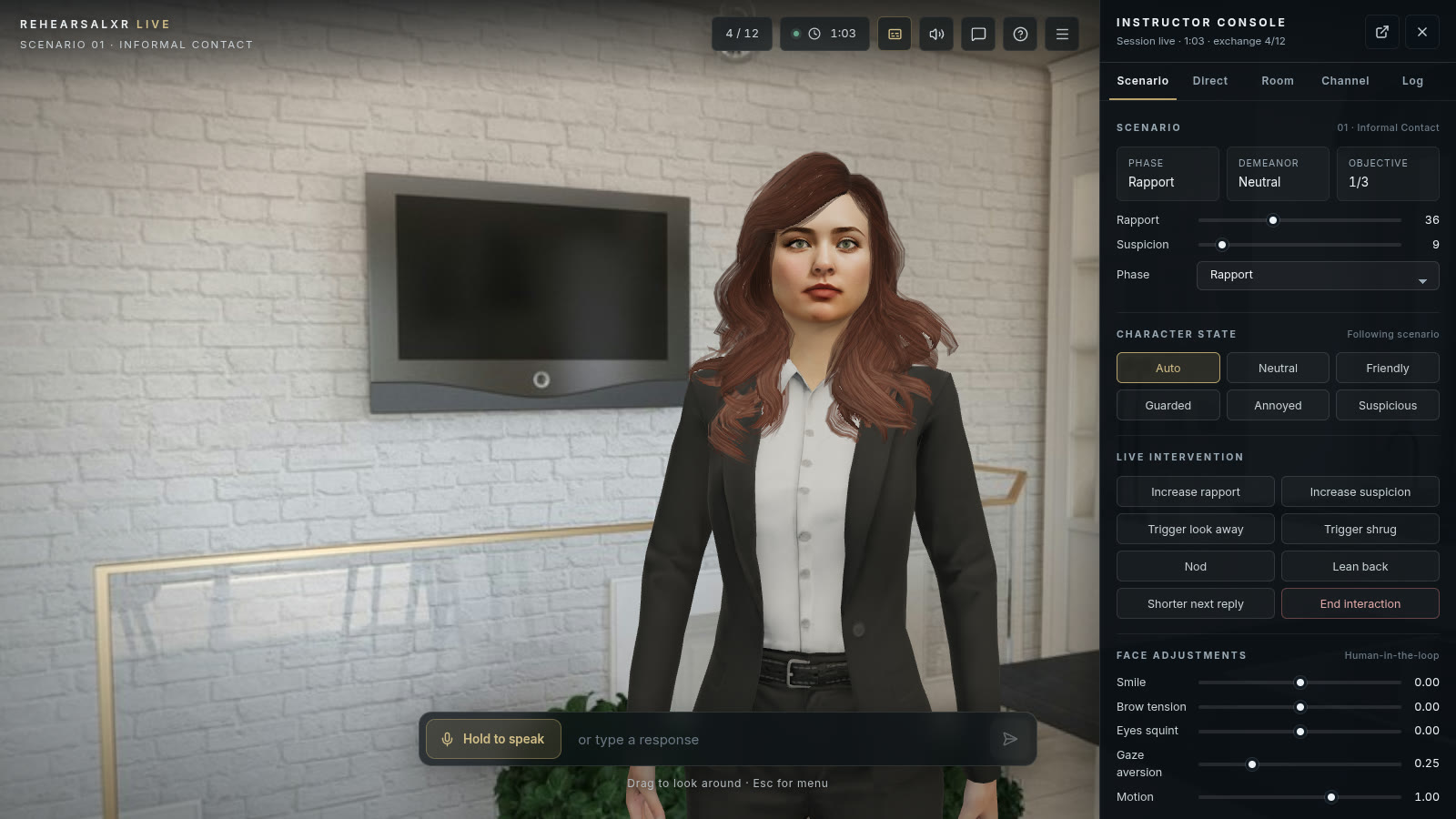
2.0 LiveA live console for mood, rapport, gestures, private chat, and speaking through the character
Scoring
1.0 FilmedAn agitation meter and a choice-by-choice review of technique
2.0 LiveA Performance Snapshot: empathy, verbal, and non-verbal cues across six dimensions, with a timeline, transcript, and PDF export
Each run
1.0 FilmedIdentical
2.0 LiveDifferent
Hosting
1.0 FilmedStatic files on any web server. No backend, no AI service
2.0 LiveA web app and a small API server. The AI model sits behind a server-side proxy, with a scripted fallback if it is unavailable
Devices
1.0 FilmedVR headset through WebXR, desktop, or phone
2.0 LiveChrome or Edge on a computer
A new scenario
1.0 FilmedScript, cast, film, and key a new shoot
2.0 LiveWrite the brief, the character’s facts, and the rules. No filming

Two pipelines

Different production, the same room.

Each edition has its own way of making a scenario. Both share the 360° rooms and the presentation, so a trainee moving from one to the other is on familiar ground.

1.0 pipeline

From a film shoot to static files.

  1. 01Script the conversation as a branch map, with a score for each choice.
  2. 02Film the actor on green screen, one take per line.
  3. 03Key each take into a color and mask video, so it plays with a transparent background in any browser.
  4. 04Place the actor in a 360° photo of a real room.
  5. 05Assemble dialogue, branching, and scoring in one scenario file. Changing the text needs no code.
  6. 06Ship as static files to any host, including an internal one.
Each take is stored as color and mask side by side, then keyed in the browser.

2.0 pipeline

From a scenario brief to a live character.

  1. 01Write the scenario: the objective, what the character knows, and the rapport and suspicion levels that unlock each fact.
  2. 02Pick a 3D character and a voice. Any humanoid model with facial shapes works.
  3. 03Pick a 360° room, lit to match the photo so the character sits in it naturally.
  4. 04The trainee talks. A server-side proxy sends the turn to the language model, and a separate rule layer scores every line.
  5. 05The reply is spoken by a neural voice running on the trainee’s own machine, with lip sync.
  6. 06The instructor steers in real time, and the session closes with a Performance Snapshot.
The instructor console, steering a live session.

Using both

Many programs need both: a filmed scenario everyone completes the same way, as a baseline or an assessment, and live practice afterward to build the skill.

Scenarios are written for the people you train, whether that is caregivers, clinicians, interviewers, or front-line staff. A pilot usually starts with one scenario in the edition that fits, run with a small group, and a review of the results together.

Which conversation do your people need to practice?

Plan a pilot